


QVC Mobile Shopping (US)
4.210.71K Reviews
App Specs
- Version
- 5.30.0
- Updated On
- License
- Free
- Downloads
- 1,000,000+
- Developer
- QVC, Inc.
- Categories
- Shopping
- Platform
- Android, iOS
Screenshots
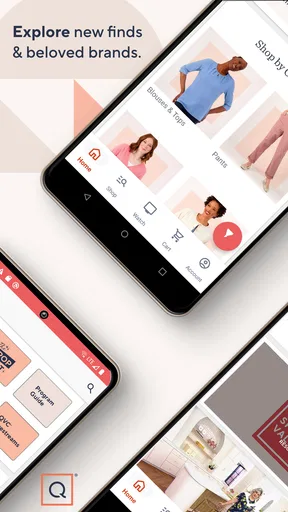
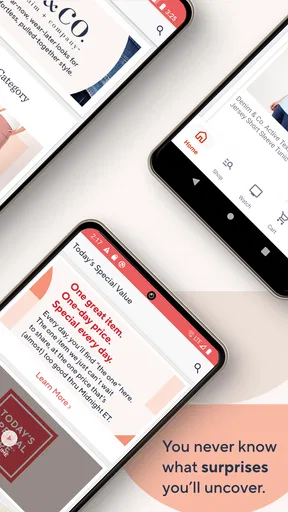
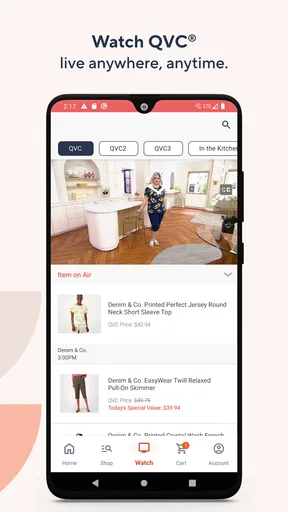
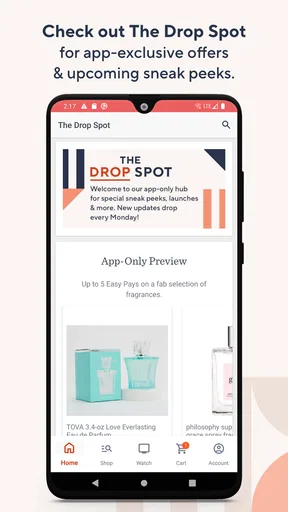

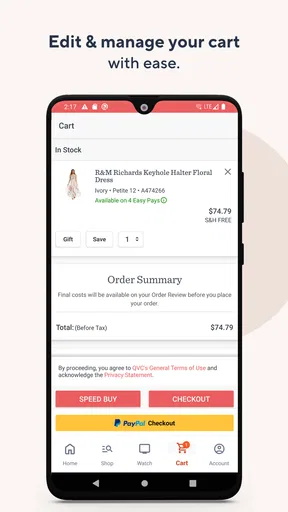
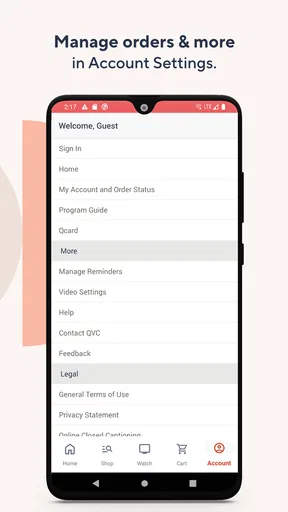
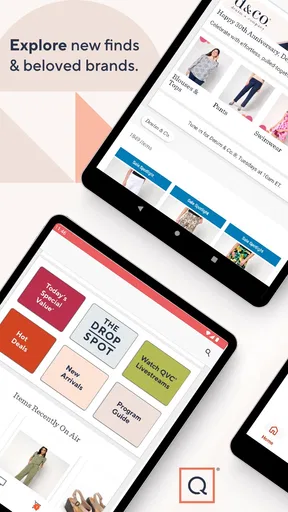
 Analysis by AppCompare
Shopping from a television shopping brand can feel very different from browsing a huge online marketplace. I found that QVC Mobile Shopping is built around a more guided, presentation-led experience: products are introduced with demonstrations and explanations, then the app gives me a way to continue browsing or buy from my phone. That focus makes it appealing when I want context before deciding, but less ideal when I already know the exact item and simply want the fastest possible checkout.
As a free shopping app from QVC, Inc., it is aimed at everyday shoppers rather than specialist users. The app is suitable for Everyone, and its long presence on mobile makes it feel like an established companion to QVC’s retail format rather than a temporary promotional tool. I tested it with accessibility in mind, paying attention to how easily I could read product information, move through shopping tasks, and use it in less-than-perfect situations such as a noisy room or a one-handed browsing session.
How clearly the app supports different shoppers
I approach QVC Mobile Shopping as a guided way to explore products, not as a one-size-fits-all storefront. In this section, I look at how that presentation style may serve shoppers with different routines and preferences, including people who need more time to read or compare. The next section considers where those differences become most apparent during ordinary browsing.
Readability and navigation depend on how you like to shop
The strongest part of the experience is the sense of guided discovery. Instead of treating every product as a bare card with a name and a price, QVC’s approach encourages me to watch, compare, and learn why an item might be useful. That is particularly helpful for beauty products, kitchen equipment, clothing, and household items where a demonstration can answer questions that a short product title cannot.
I also found this style useful when I was not searching for one specific product. A traditional marketplace is usually better when I have a precise model, color, or brand in mind. QVC Mobile Shopping makes more sense when I am open to browsing and want the presentation itself to help narrow my choice. The trade-off is that discovery can take longer, especially if I prefer compact lists and quick filtering over editorial-style shopping.
Text-heavy shopping screens can be tiring for anyone who needs larger type, stronger visual separation, or more time to process information. On a phone, product names, options, delivery details, and purchase controls compete for limited space. I recommend increasing the phone’s system text size before shopping if small labels are uncomfortable, then checking that important controls still remain visible. This is a practical adjustment, but it cannot replace an interface designed around generous spacing.
A useful habit is to separate browsing from buying. I can watch or explore products first, save the details I care about mentally or in my notes, and only then review the selected options before ordering. That reduces the chance of choosing the wrong size, color, or configuration while moving quickly through a presentation. It is especially valuable for shoppers who find rapid visual changes or dense screens difficult to follow.
Worth Reading Before You Choose

EA SPORTS FC Mobile 26 Is a Bigger Football Game, but It Takes Time

Flipboard Shows What News Apps Must Do Beyond the Feed

Switching to Android Auto Means Rethinking Your Driving Routine

Google Calendar Makes a Crowded Week Easier to Manage

Ludo King Makes the Most of the Minutes Between Plans

Baby Panda World Brings Quick Play to Modern Phones, but Its Game Library Feels Busy
The app’s current version is 5.30.0, and it supports devices running at least iOS 9. That broad operating-system reach is helpful for people who keep an older device because it has familiar accessibility settings or a physical size they prefer. At the same time, older phones may make video-led shopping feel less fluid than it does on newer hardware. The app may be compatible, but the quality of the experience still depends on the phone’s display, performance, and battery condition.
Motor and sensory considerations
Shopping by phone can be convenient for people who cannot comfortably use a computer mouse or sit at a desk. I can hold the device close, use touch gestures, and move through the experience from a sofa or bed. Voice control provided by the operating system may also help some users reach controls without repeated tapping, although the success of that approach depends on how clearly each control is labeled and exposed to the device’s assistive tools.
One-handed use is possible in short bursts, but it is not always the most comfortable way to complete a purchase. Browsing content, opening product details, selecting options, and reviewing an order can require several precise touches. If hand tremors, limited dexterity, or fatigue make small targets difficult, I would use the phone’s built-in accessibility settings, keep the device supported on a surface, and avoid trying to complete checkout while walking or carrying something else.
Visual presentation is central to QVC’s identity, so sensory comfort deserves attention. Product demonstrations can be useful for understanding shape, scale, or operation, but moving imagery and changing content may be distracting for people who are sensitive to motion. I would lower the phone’s brightness, use system motion-reduction settings where available, and rely on written product information when the visual presentation becomes tiring. That turns the app into a calmer reference tool instead of making every purchase depend on watching.
Sound can be equally important. A spoken demonstration may explain a product much better than a still image, but audio is not always practical in a shared room, on public transport, or for someone who is hard of hearing. I would use headphones only when safe and comfortable, and I would avoid assuming that a video is the best source of every detail. For an important purchase, I prefer to confirm the written product information and selected options rather than relying on audio alone.
For shoppers with color-vision differences, clothing and beauty choices can be more complicated when the app presents several visually similar options. I would not make a final decision from the color swatch alone. Reading the option name, checking the product imagery in different lighting, and reviewing the selection again before ordering is a better workflow. That is one of the app’s practical accessibility lessons: visual shopping works best when I slow down and verify the text.
Situational access makes the app more useful than its interface alone suggests
The most convincing use case for me is relaxed shopping at home. Imagine noticing a kitchen tool during a QVC presentation while preparing dinner. I can return to the product from my phone later, examine the details, and decide when I have both hands free. That is more comfortable than trying to remember the item from television, and it avoids forcing a purchase during the original presentation.
The same workflow helps caregivers and people with busy routines. I can browse when I have a quiet moment, pause before committing, and review the choices when another person is available to help. Someone who needs assistance with reading, comparing, or entering information may find this staged approach easier than a rushed transaction. The app does not remove the need for support, but it gives the shopper more control over when that support is used.
It is also useful for people who prefer demonstrations over static catalog photography. Clothing fit, the way a gadget operates, or the approximate scale of a household item can be easier to understand when shown in context. That is a meaningful difference from many marketplace apps, where I often have to interpret a few photos and customer comments without seeing the product used in a real presentation.
On the other hand, QVC Mobile Shopping is not my first choice when I am commuting, dealing with a weak connection, or trying to finish a purchase in a hurry. Video-oriented content can be demanding in situations where concentration, sound, or stable connectivity is limited. If I am standing on a crowded train with one hand occupied, a simpler retailer app with a direct search box and compact product pages is likely to be less frustrating.
Older shoppers may appreciate the familiar QVC format, especially if they already understand the brand’s presentation style. The phone interface introduces more steps than simply watching television, though, and a first visit can feel less obvious than a conventional online store. I would recommend setting up the device’s text, contrast, and touch accommodations first, then exploring without the pressure of placing an order immediately.
Practical shopping strengths and the trade-offs behind them
QVC Mobile Shopping works best as an extension of a shopping relationship rather than as a neutral product database. The presentation-led format can help me understand an unfamiliar item, discover products I would not have searched for, and make a more informed choice when demonstrations are relevant. That is a real strength for people who value explanation and entertainment together.
The main trade-off is efficiency. Large marketplaces usually win on breadth, direct keyword search, seller comparison, and rapid price checking. QVC’s more curated environment can feel less overwhelming, but it may also give me fewer ways to scan the entire market at once. If I care primarily about finding the lowest price or comparing many sellers, I would use a conventional marketplace alongside this app rather than expecting it to replace one.
I also recommend treating the order-review stage as essential. Shopping presentations can create momentum, particularly when an item looks useful in the moment. Before confirming anything, I would reread the product name, selected variant, quantity, and delivery information, then ask whether I still want the item without the urgency of the presentation. This is not a criticism unique to QVC; it is simply the discipline that makes entertainment-driven shopping safer and more deliberate.
Another useful approach is to use the app for research even when I ultimately buy elsewhere. A demonstration can show how a product is used, which may answer questions that a standard listing leaves unclear. I still compare the specifications and overall value independently before purchasing. This makes the app valuable even for someone who does not want a single retailer to handle every purchase.
Remaining barriers that affect inclusive use
The app’s biggest accessibility challenge is that its shopping identity is tied to rich presentation. Visual and spoken content can add understanding, but it can also create barriers when a user needs a quiet, low-motion, text-first experience. A shopper who relies heavily on screen reading, cannot tolerate moving imagery, or has difficulty with small touch controls may need more patience and more help than someone browsing visually.
Another barrier is cognitive load. Product demonstrations, promotional language, options, and checkout decisions can arrive close together. For users with memory difficulties, attention differences, or anxiety around online orders, the safest method is to pause between stages and write down the exact product choice before moving on. I would not multitask during checkout, because a small selection error can be harder to notice on a compact screen.
Situational limitations matter too. A phone may be more accessible than a desktop for one person and less accessible for another. A larger monitor can make product details easier to read, while a phone is easier to hold close. A quiet home environment supports audio and concentration, while a public space may require muted playback and more reliance on text. I see the app as flexible across contexts, but not equally comfortable in all of them.
People who need a very direct search-and-buy workflow should probably skip it. The same applies to shoppers who dislike televised shopping, prefer extensive independent seller reviews, or want to compare dozens of alternatives before deciding. In those cases, a general retailer or comparison service will usually provide a clearer route. QVC Mobile Shopping is more convincing when the presentation itself is part of the value.
Its scale shows that the format has broad appeal: it has passed one million installs, carries an average rating of 4.2 from roughly thirty-one thousand ratings, and has around eleven thousand written reviews. Those figures suggest an active, established audience, but they should not decide whether the app is accessible for a particular person. A good rating can coexist with real friction for users who need larger controls, reduced motion, or a strictly text-based shopping path.
My inclusive verdict after using it
I would recommend QVC Mobile Shopping to someone who enjoys being shown how a product works and wants the convenience of continuing that experience on a phone. It is especially suitable for relaxed home browsing, product discovery, and shoppers who benefit from demonstrations before making a decision. The fact that it is free removes an easy barrier to trying it, and the Everyone age rating makes it broadly approachable.
I would recommend a more cautious trial for people with visual, hearing, motor, or cognitive accessibility needs. The app can fit into an accessible routine when combined with phone-level text, contrast, motion, audio, and touch settings, but the presentation-led design may still demand extra attention. I would begin with browsing, test whether the text and controls are comfortable, and only then attempt checkout.
My final view is balanced: this is not the simplest shopping tool, but it is a distinctive one. Its real strength is guided product understanding, not maximum shopping speed. When I want a demonstration and a more relaxed path to discovery, it earns a place on my phone. When I need a quiet, highly efficient, comparison-heavy purchase, I would choose a more conventional shopping app instead.
For me, the best way to use QVC Mobile Shopping is deliberately: browse when I have time, verify every option in writing, adjust the phone for comfort, and treat the presentation as helpful context rather than pressure to buy. Used that way, it can support a wider range of shoppers without pretending that one interface works perfectly for everyone.
Pros
- Easy access to live QVC broadcasts and product demonstrations
- Personalized recommendations based on browsing and shopping activity
- Supports account management
- order tracking
- and saved payment details
- Product pages include customer reviews
- ratings
- and detailed descriptions
- Convenient notifications for deals
- launches
- and limited-time offers
Cons
- Some products may be priced higher than comparable items elsewhere
- Frequent promotional notifications can feel excessive
- Video-heavy content may use significant mobile data
- App performance can vary on older phones or slower connections
- Return terms and shipping costs may differ by product and require checking
FAQs for QVC Mobile Shopping (US)
What is QVC Mobile Shopping (US)?
QVC Mobile Shopping (US) is the official shopping app for QVC customers in the United States. It lets you browse products from categories such as fashion, beauty, electronics, home goods, jewelry, and kitchen accessories. The app also provides access to product videos, customer reviews, live programming, special offers, and account tools for managing orders and purchases.
Can I watch QVC live shows and product presentations in the app?
Yes. The app is designed to complement QVC’s television and online shopping experience, allowing users to watch live programming and product demonstrations when available. Seeing products presented on video can make it easier to understand their size, features, and real-world use. Availability may depend on your location, internet connection, and QVC’s current broadcast schedule.
Can I place orders and manage my QVC account through the app?
Yes. After signing in or creating a QVC account, you can browse items, add products to your cart, complete purchases, and review order information. The app may also allow you to check shipping updates, view order history, save account details, and manage payment or delivery preferences. Some features may require accurate account and billing information.
Does QVC Mobile Shopping support QVC payment plans or special financing options?
QVC may offer payment choices such as installment-based purchasing or other promotional options on eligible products, depending on current terms and customer eligibility. The available options, fees, number of payments, and approval requirements should be reviewed carefully during checkout. Payment plans are not necessarily available for every item, account, or order.
Is QVC Mobile Shopping (US) free to download, and what does it require?
The QVC Mobile Shopping app is generally free to download, although purchases made through it are charged according to the product price, shipping costs, taxes, and any applicable payment terms. You will need a compatible Android or iOS device, an internet connection, and usually a QVC account for checkout. Mobile data charges may apply when using cellular networks.


